Smile · macOS music app

Your Music
Your Way
A personalized music experience with powerful tag management and metadata editing. Clean, simple, designed for you.
Free · macOS 14+ · Apple Silicon
Windows not available yet
Features
Everything you need
Screen Widget
Keep Your Music Close
A floating edge widget — play, pause, and skip without leaving what you're doing.
Midnight Dreams
Aurora Waves
Music flows in · you control it · it flows on
Screen Widget
Play, pause, and skip from a floating edge widget while you work.
Local Library
Index folders in place — no cloud uploads, no accounts required.
Fix Metadata
Find duplicates, gaps, and bad tags — preview changes, then apply.
Album Browse
Tap cover art to expand tracks inline without leaving the grid.
Smart Queue
Play Next, queue tracks, and navigate your session timeline.
Favourites
Heart tracks from album and genre lists for quick recall.
Parametric EQ
Eight-band equalizer with graph view and factory presets.
Theme Presets
Seven OKLCH palettes with light, dark, or system appearance.
Privacy First
Your music stays on your Mac. Local-first by design.
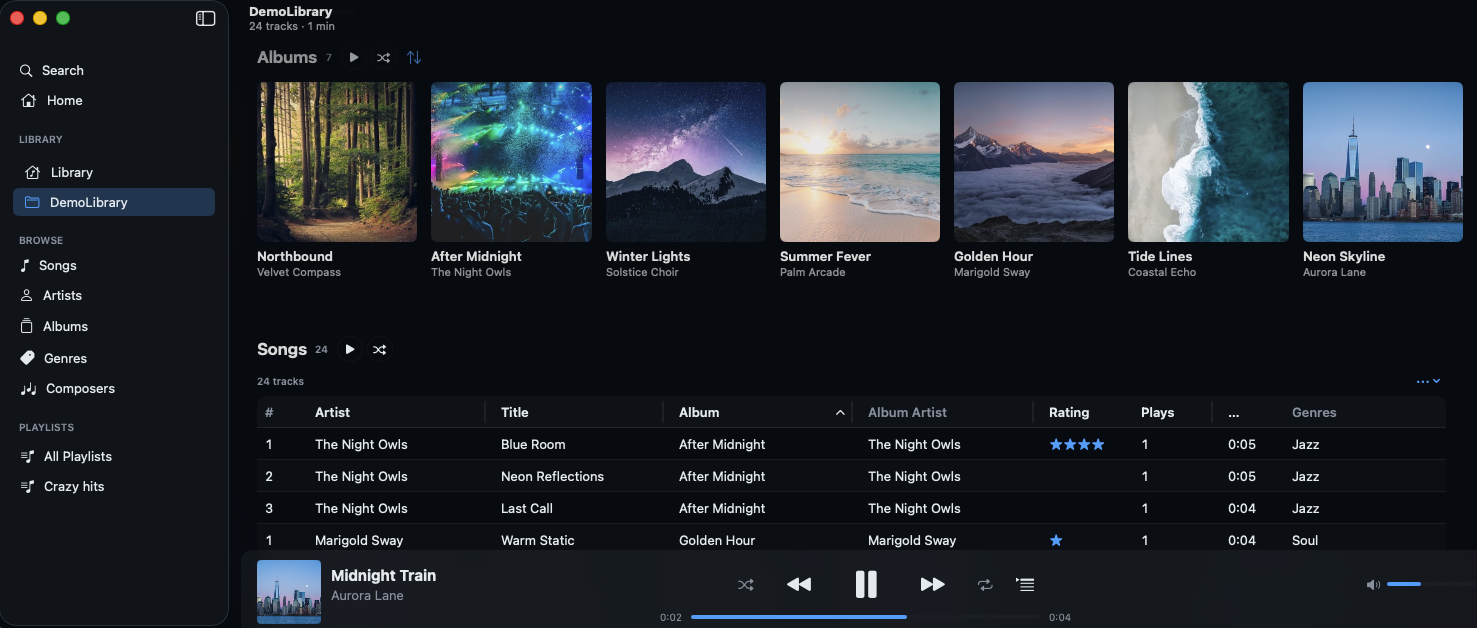
Local Library
Your folders, indexed in place
Point Smile at the folders you already use. It builds a fast local index — no uploads, no accounts, and your files never leave your Mac.
Fix Metadata
Clean up tags before you listen
Find duplicates, missing numbers, and inconsistent artist names. Preview every change in a diff view, then apply when it looks right.
Issues found
Preview
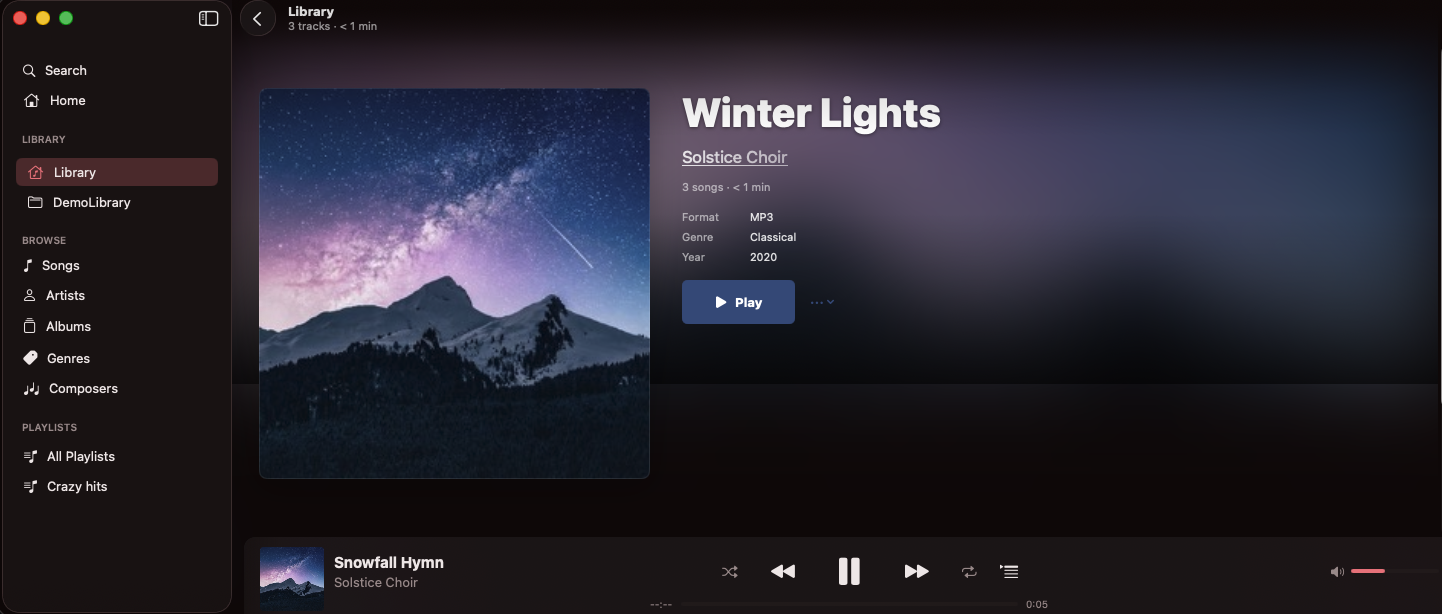
Album Browse
Cover art that opens inline
Browse by album in a calm grid. Tap artwork to expand tracks without leaving the view — great for rediscovering full records.
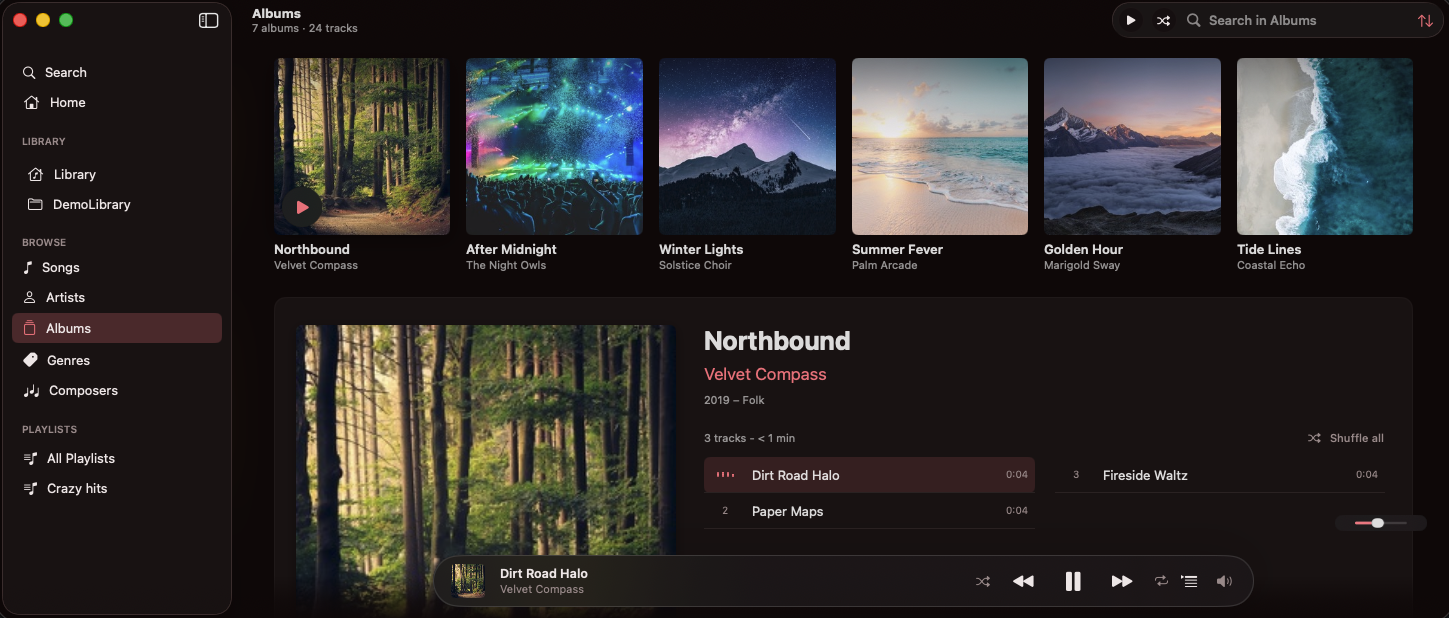
Smart Queue
Play Next, queue, and session flow
Build a session without losing context. Play Next bumps a track to the front, the queue holds what comes after, and the bar keeps you oriented.
Artists & Favourites
Browse by artist, save what you love
Open an artist to see albums and top tracks together. Heart songs from album, genre, or artist lists and find them again in a tap.
Coastal Drive
4 albums · 38 tracks
Albums
Northbound
Winter Lights
Coastal
Starlight
Top tracks
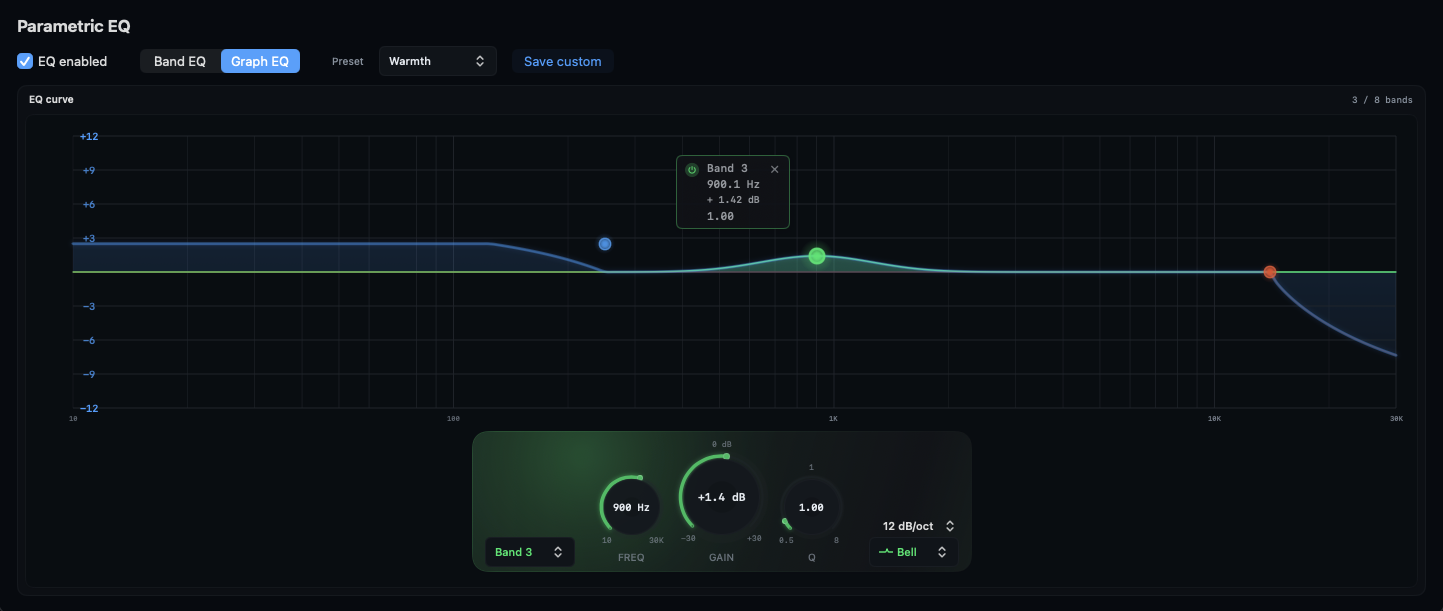
Parametric EQ
Eight bands, graph view, presets
Shape your sound with a parametric equalizer — draggable bands on a graph, factory presets, and per-session tuning that stays out of the way.
Privacy First
Your library stays on your Mac
Smile is built for local listening. No accounts required, no cloud uploads — just your music, indexed where it already lives.
Stays on your Mac
Local folders only — no accounts required, no cloud uploads.
Appearance
Make it yours
Rose
Songs
1,248 tracks
Midnight Dreams
Aurora Waves
Starlight
Nova
Ocean Breeze
Coastal
Neon Lights
Synth
Midnight Dreams
Aurora Waves
Ready to Smile?
Download for free and discover a new way to experience your music.
Free download · macOS 14+ · Apple Silicon (M1 and later)